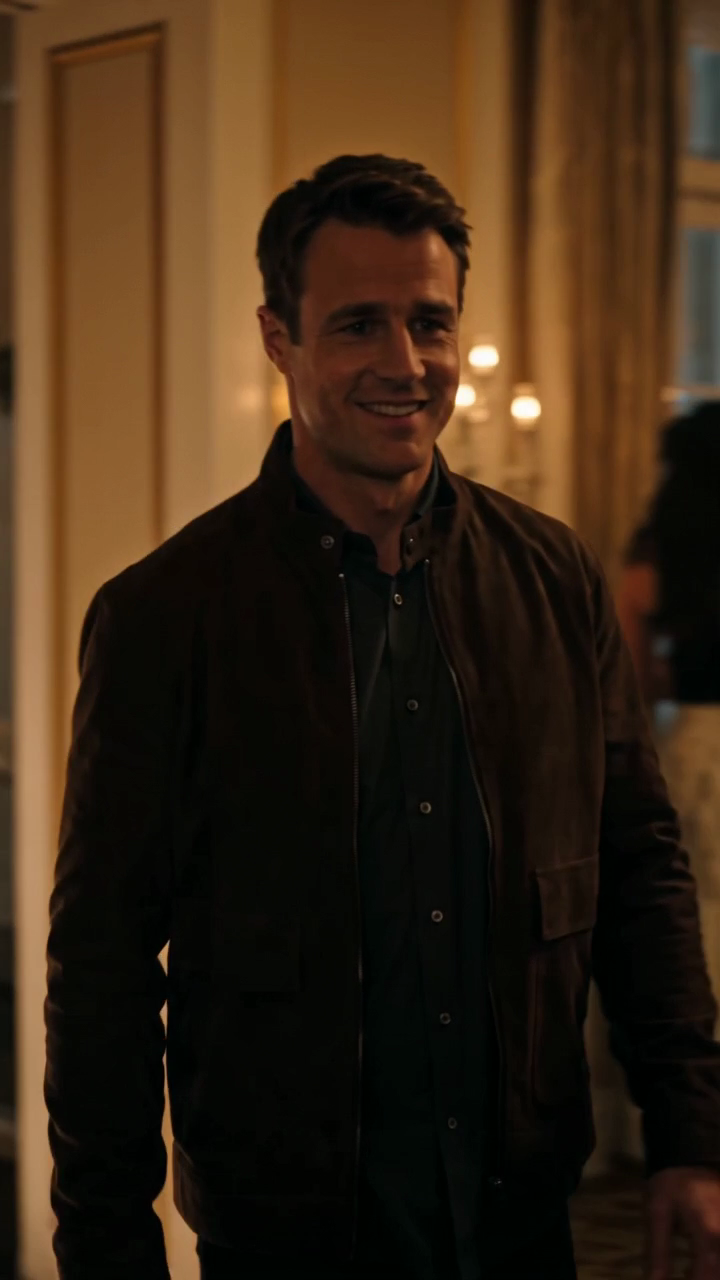
How to Share a Burning Bridges AI Video on Reels 2026
Prepare a Burning Bridges AI video for Instagram Reels. Check its vertical frame, add licensed audio and captions, use AI labels, and review the final export.
October 11, 2026 · Burning Bridges AI Video editorial team
Try the workflow
Create your Burning Bridges video
Choose one or two adult guests. The generated scene follows your photo and prompt; results can vary.
JPG, PNG, or WebP · up to 10 MB
Use a clear photo of one adult facing the camera. Include the outfit for full appearance. In duets, photo 1 replaces the first role and photo 2 the second.
Additional instructions (optional)
Public results may be selected for our gallery after review. Your photos remain private.
Three days, one free finished video
Sign in and open the studio on three consecutive UTC days. All 50 credits unlock on day 3. Missing a day resets progress. You can pay to create sooner.
$9.90/ 1 video
50 credits · 10 secondsChoose a one-time pack or a monthly or yearly plan. See all five offers below.
Your videos
Select a scene above. Completed videos will appear here.
Sharing a Burning Bridges AI video on Instagram Reels involves a few key steps: generating your video with the right permissions, ensuring safe and copyright-free audio, cropping the video to fit Reels' vertical format, and adding accessibility features for a wider audience. This article walks you through the posting workflow, highlights important limits and costs, and answers common questions.
Understanding Burning Bridges AI Videos
Burning Bridges AI is an independent photo-to-video tool that creates original 10-second, silent 720p vertical videos (9:16 aspect ratio) from one or two adult portraits. It uses ByteDance Seedance 2.0 technology via Kie AI to generate these videos without any copyrighted music or celebrity likenesses. Videos are MP4 files, ideal for Instagram Reels which favors vertical content.
Video Creation Limits and Costs
- Supported photo formats: JPG, PNG, WebP (under 10 MB each)
- Requires sign-in and at least 50 credits to create a video
- Credits can be purchased or earned (non-ChatGPT users get 50 credits after visiting three consecutive UTC days; ChatGPT users start with zero credits)
- Credit packs: $9.90 (1 video), $19.90 (3 videos), $29.90 (5 videos), no expiration
- Monthly subscription: $29.90 for 8 videos, unused credits expire monthly
- Yearly subscription: $149.90 for 45 videos, unused credits expire yearly
A hypothetical example: creating a video from one portrait consumed 410 Kie credits (about $2.05) and took 283 seconds to generate.
For detailed pricing, see our /pricing page.
Step-by-Step Posting Workflow for Reels
-
Create Your Video
- Upload one or two adult portraits with permission.
- Ensure photos meet format and size requirements.
- Use your credits to generate the video.
-
Download the Video
- Once generated, download the 10-second 720p MP4 video.
-
Prepare the Video for Reels
- Burning Bridges AI videos are already 9:16 vertical format, ideal for Reels.
- If needed, crop or trim using a video editor to fit Instagram’s 15 to 90 seconds Reels limit.
-
Add Safe Audio
- The original video is silent; add royalty-free or Instagram-provided audio to avoid copyright issues.
- Avoid uploading copyrighted music to prevent takedowns.
-
Enhance Accessibility
- Add captions or text overlays describing the video content.
- Use Instagram’s alt text feature to describe the video for screen readers.
-
Upload to Instagram Reels
- Open Instagram, select Reels, upload your video.
- Add description, hashtags, and accessibility tags.
- Share your Reel.
Safe Audio Options for Burning Bridges Videos
Since Burning Bridges AI videos are silent and original, adding audio is optional but recommended for engagement. Use these options:
| Audio Source | Pros | Cons |
|---|---|---|
| Instagram Music | Easy, copyright-cleared | Limited selection |
| Royalty-Free Tracks | Wide variety, safe | May require attribution |
| Custom Compositions | Unique, brand-aligned | Requires production effort |
| No Audio | Keeps original intent | May be less engaging |
Avoid uploading copyrighted songs or audio clips to prevent Instagram removing your Reel.
Cropping and Video Editing Tips
Burning Bridges AI videos are generated in 720p resolution with a 9:16 aspect ratio, matching Instagram Reels' preferred format. This means minimal cropping is needed. However, consider these tips:
- Trim length: Instagram Reels support 15 to 90 seconds. The AI video is 10 seconds, so you can loop or add extra clips if desired.
- Add overlays: Use text or stickers to enhance storytelling.
- Adjust brightness or contrast: If your video looks dim, subtle edits can improve visibility.
For more on video editing, see our guide on burning-bridges-video-instagram-reels.
Accessibility Best Practices
Making your Burning Bridges AI video accessible ensures more viewers can enjoy your content:
- Add captions: Use Instagram’s captioning tools or embed text describing the visuals.
- Use alt text: Instagram allows you to add alt text describing the video content for screen readers.
- Describe the scene: For example, "A glowing bridge leading into a warm party with people walking." This helps visually impaired users.
Accessibility improves engagement and inclusivity.
Worked Hypothetical Scenario
Imagine Sarah wants to share a Burning Bridges AI video on her Instagram Reels:
- Sarah uploads a portrait photo of herself (JPG, 3 MB).
- She signs in and uses 50 credits earned by visiting the site three days in a row.
- The AI generates a 10-second glowing bridge video in 283 seconds.
- Sarah downloads the video and opens Instagram Reels.
- She adds a royalty-free upbeat track from Instagram’s music library.
- Sarah adds captions: "Walking towards new beginnings."
- She writes alt text: "A glowing bridge leading into a warm party scene."
- Sarah posts the Reel, tagging relevant hashtags.
This workflow ensures compliance with platform limits and enhances accessibility.
Frequently Asked Questions
Q1: Can I upload my own audio to the Burning Bridges AI video?
A1: The AI video is silent by default. You can add audio during Instagram Reel creation but avoid copyrighted music to prevent takedowns.
Q2: What photo formats and sizes are accepted for video creation?
A2: JPG, PNG, and WebP formats under 10 MB are accepted.
Q3: How long does it take to generate a video?
A3: Generation time varies; a sample took 283 seconds. This is not a guaranteed speed.
Q4: Do I need to sign up to create a video?
A4: Yes, signing in and having at least 50 credits is required.
Q5: Are there free credits available?
A5: Non-ChatGPT users earn 50 credits after visiting three consecutive UTC days. ChatGPT users start with zero credits.
Q6: Can I crop the video to fit other social platforms?
A6: Yes, but Burning Bridges AI videos are already optimized for vertical formats like Reels. Cropping may be needed for other aspect ratios.
For more detailed troubleshooting, visit our burning-bridges-video-troubleshooting page.
Conclusion
Sharing a Burning Bridges AI video on Instagram Reels is straightforward if you follow the right workflow: create the video with proper permissions and credits, add safe audio, crop if necessary, and enhance accessibility. Understanding the costs, limits, and best practices helps you make the most of this unique AI-generated content.
Explore more about video ideas and privacy on our burning-bridges-video-ideas and burning-bridges-video-privacy-consent pages.
For terms and refund policies, see /terms and /refund.
Start your video journey today by visiting the homepage.
Sign in and open the studio on three consecutive UTC days. All 50 credits unlock on day 3. Missing a day resets progress. You can pay to create sooner. Try the workflow