Best Burning Bridges AI Video Ideas for 2026 Creators
Explore practical solo and duo Burning Bridges AI video ideas for friends, parties, and social posts. See photo choices, costs, consent tips, and real limits.
October 11, 2026 · Burning Bridges AI Video editorial team
Try the workflow
Create your Burning Bridges video
Choose one or two adult guests. The generated scene follows your photo and prompt; results can vary.
JPG, PNG, or WebP · up to 10 MB
Use a clear photo of one adult facing the camera. Include the outfit for full appearance. In duets, photo 1 replaces the first role and photo 2 the second.
Additional instructions (optional)
Public results may be selected for our gallery after review. Your photos remain private.
Three days, one free finished video
Sign in and open the studio on three consecutive UTC days. All 50 credits unlock on day 3. Missing a day resets progress. You can pay to create sooner.
$9.90/ 1 video
50 credits · 10 secondsChoose a one-time pack or a monthly or yearly plan. See all five offers below.
Your videos
Select a scene above. Completed videos will appear here.
Direct Answer: Best Burning Bridges AI Video Ideas for 2026
For 2026, the best Burning Bridges AI video ideas focus on practical, emotionally resonant solo and two-person party clips that leverage the tool’s unique glowing bridge visual metaphor. These include:
- Solo reflective journeys symbolizing personal growth or change
- Duo narratives capturing friendship transitions or reconciliations
- Themed party entrances emphasizing new beginnings or farewells
Each concept uses one or two adult portraits to create a silent, original 10-second 720p vertical video showing a glowing bridge leading into a warm party scene. This format suits Instagram Reels, TikTok, and other social platforms.
Understanding the Burning Bridges AI Video Creation Process
The Burning Bridges AI video tool uses ByteDance Seedance 2.0 via Kie AI to generate videos from JPG, PNG, or WebP portraits under 10 MB. Users must have at least 50 credits to create a video, which uses 50 site credits per video. One first-party test used 410 Kie credits internally ($2.05 model cost).
Step-by-Step Creation
- Sign in and prepare portraits: Upload one or two adult portraits with explicit permission.
- Ensure credit availability: Have at least 50 credits; credits can be purchased or earned through site activity.
- Submit the creation request: The AI processes the images, generating a silent 10-second 9:16 MP4 video.
- Download and share: The video shows a glowing bridge leading to a party, perfect for social sharing.
Limits and Requirements
- Portraits must be under 10 MB.
- Only one or two adult portraits allowed.
- Videos are silent, no voice or music included.
- Processing time varies; the sample took 283 seconds.
Practical Solo Video Ideas
Solo videos focus on individual emotional journeys. Here are some concrete concepts:
1. Personal Growth Reflection
Use a portrait symbolizing a person moving on from a past phase. The glowing bridge represents the path to a new chapter, ending in a warm party scene symbolizing hope.
2. Farewell to a Chapter
Create a video where the solo figure walks away from a difficult situation, the bridge glowing to show courage and transition.
3. New Beginnings
Highlight a fresh start, such as moving to a new city or job, with the bridge as a metaphor for opportunity.
Hypothetical Example
A user uploads a portrait of themselves before graduation. The AI generates the video showing the glowing bridge leading to a party, symbolizing celebration and future possibilities.
Two-Person Duo Video Ideas
Duo videos can capture relational dynamics, such as friendship changes or reconciliations.
1. Transition in Friendship
Two portraits represent friends who are parting ways or evolving their relationship. The bridge symbolizes the connection and the party the memories or future paths.
2. Reconciliation
Show two people walking together across the bridge, symbolizing healing and renewed bonds.
3. Joint New Beginnings
Two people embarking on a new journey, such as starting a business or moving together.
Hypothetical Scenario
Two friends upload their portraits to create a video where they cross the glowing bridge side by side, entering a party that represents shared memories.
Comparison Table: Solo vs Duo Burning Bridges AI Videos
| Feature | Solo Video | Duo Video |
|---|---|---|
| Number of portraits | 1 | 2 |
| Emotional focus | Individual growth or farewell | Relationship dynamics |
| Video length | 10 seconds | 10 seconds |
| Cost per video | 410 Kie credits ($2.05 approx.) | 410 Kie credits ($2.05 approx.) |
| Use cases | Personal social posts, introspection | Friendship stories, reconciliations |
| Processing time | ~283 seconds (sample) | Similar, depends on server load |
Pricing and Credit Management
A default video uses 50 site credits. One first-party generation used 410 Kie credits internally, equal to $2.05 in model cost; that is a single sample, not a fixed customer price. Credits can be acquired via:
- One-time packs: $9.90 (1 video), $19.90 (3 videos), $29.90 (5 videos), no expiration
- Monthly subscription: $29.90 for 8 videos, unused credits expire monthly
- Yearly subscription: $149.90 for 45 videos, unused credits expire yearly
Users must sign in to purchase or use credits. Non-ChatGPT users can earn 50 free credits after visiting for three consecutive UTC days; ChatGPT users start with zero free credits.
For detailed pricing, see the /pricing page.
Worked Hypothetical Example: Creating a Duo Video
Scenario: Two friends want to create a Burning Bridges AI video symbolizing their evolving friendship.
- Both sign in and upload their portraits (JPG under 10 MB).
- They check their credit balance; each has at least 50 credits.
- They submit the request, using 50 site credits. A separate first-party provider task used 410 Kie credits internally.
- After approximately 283 seconds, the video is ready.
- The video shows a glowing bridge with both friends walking side by side into a lively party scene.
- They download and share the video on social media.
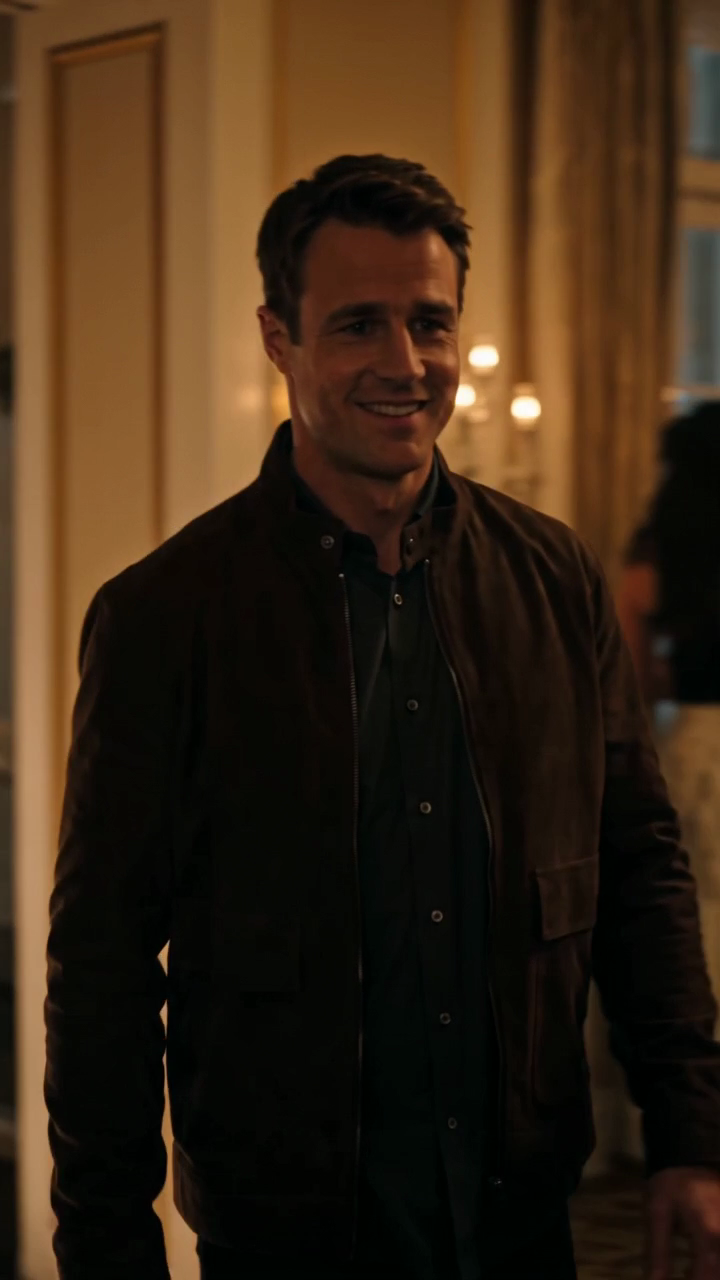
Below is a typical first-party frame from the bridge segment and the party segment for duo videos:
Privacy and Consent Considerations
Since the tool uses adult portraits, explicit permission is required. The platform does not use celebrity likenesses, voice cloning, or copyrighted music, ensuring compliance with privacy and intellectual property laws.
For more on privacy, visit the /privacy page.
FAQs
1. Can I upload photos of minors or celebrities?
No, only adult portraits with explicit permission are accepted. The tool does not support celebrity likeness or voice cloning.
2. How long does video generation take?
Processing time varies; the first-party sample took 283 seconds. Times depend on server load and image quality.
3. Are the videos silent or do they include music?
Videos are silent 10-second clips with original visuals only; no music or voice is included.
4. Can I edit the video after creation?
The platform does not currently support post-generation editing.
5. What formats are supported for upload?
JPG, PNG, and WebP under 10 MB are accepted.
6. How do I earn free credits?
Non-ChatGPT users earn 50 credits after visiting the site on three consecutive UTC days. ChatGPT users start with zero free credits.
Additional Resources
For more creative inspiration and technical guidance, explore these internal resources:
- Burning Bridges AI Video Ideas
- How to Make Burning Bridges AI Video
- Burning Bridges Duo Video
- Burning Bridges Video Privacy and Consent
These pages provide deeper insights into concept development, technical tips, and ethical use.
By focusing on practical solo and duo party clip concepts, understanding costs and limits, and following clear steps, users can create meaningful Burning Bridges AI videos for 2026 that resonate on social media and personal storytelling platforms.
Sign in and open the studio on three consecutive UTC days. All 50 credits unlock on day 3. Missing a day resets progress. You can pay to create sooner. Try the workflow