Burning Bridges AI Video Alternatives: Choose by Output
Explore Burning Bridges AI video alternatives by output type: original generation, manual editing, and licensed templates. Compare workflows, costs, and limits.
October 11, 2026 · Burning Bridges AI Video editorial team
Try the workflow
Create your Burning Bridges video
Choose one or two adult guests. The generated scene follows your photo and prompt; results can vary.
JPG, PNG, or WebP · up to 10 MB
Use a clear photo of one adult facing the camera. Include the outfit for full appearance. In duets, photo 1 replaces the first role and photo 2 the second.
Additional instructions (optional)
Public results may be selected for our gallery after review. Your photos remain private.
Three days, one free finished video
Sign in and open the studio on three consecutive UTC days. All 50 credits unlock on day 3. Missing a day resets progress. You can pay to create sooner.
$9.90/ 1 video
50 credits · 10 secondsChoose a one-time pack or a monthly or yearly plan. See all five offers below.
Your videos
Select a scene above. Completed videos will appear here.
Direct Answer: Choosing Burning Bridges AI Video Alternatives by Output
When selecting an alternative to Burning Bridges AI video creation, the best choice depends on the desired output type: original AI-generated video, manually edited footage, or licensed template-based productions. Each approach involves distinct workflows, costs, and limitations. This article compares these three workflows to help you decide which suits your project needs, budget, and technical comfort.
Understanding the Three Workflows
1. Original Generation
This method involves creating a video from scratch using AI technology, similar to Burning Bridges AI’s approach. The tool generates a unique silent 10-second 720p 9:16 MP4 video from one or two adult portraits. It uses ByteDance Seedance 2.0 standard through Kie AI, consuming credits per video.
Concrete steps:
- Upload one or two adult portraits (JPG, PNG, WebP, under 10 MB each).
- Ensure you have at least 50 credits and are signed in.
- Submit the task for AI processing.
- Wait for the video generation (e.g., the first-party sample took 283 seconds).
- Download or share the resulting video.
Limits:
- Video length fixed at 10 seconds.
- Silent videos only (no audio tracks).
- No celebrity likeness, voice cloning, or copyrighted music.
- Requires permission from the portrait subject.
Costs:
- One default video uses 50 site credits. A separate first-party provider task consumed 410 Kie credits internally ($2.05 model cost).
- Credit packs and subscriptions available; see pricing.
2. Manual Editing
Manual editing involves using video editing software to create or customize videos by hand. This workflow offers maximum creative control but requires more time, skill, and resources.
Concrete steps:
- Collect raw footage or images (e.g., portraits, bridge visuals).
- Import assets into editing software (Adobe Premiere, DaVinci Resolve, etc.).
- Arrange clips, add effects, transitions, and audio.
- Export the final video in the desired format.
Limits:
- Requires video editing skills.
- Time-consuming compared to AI generation.
- May need licenses for music or stock footage.
Costs:
- Software subscription or purchase fees.
- Possible licensing fees for assets.
3. Licensed Template Workflows
This approach uses pre-made video templates licensed from providers. Users customize templates by inserting their own images or text.
Concrete steps:
- Choose a licensed video template matching your theme.
- Upload your photos or videos to replace placeholders.
- Customize text, colors, and other elements.
- Render and download the final video.
Limits:
- Output constrained by template design.
- May have watermark or usage restrictions.
- Less original than AI-generated or manual edits.
Costs:
- Template purchase or subscription fees.
- Possible additional fees for premium assets.
Comparison Table: Output, Workflow, Limits, and Costs
| Feature | Original Generation (Burning Bridges AI) | Manual Editing | Licensed Templates |
|---|---|---|---|
| Output Type | Unique AI-generated silent video | Fully custom video | Template-based video |
| Video Length | Fixed 10 seconds | Flexible | Template-dependent |
| Audio | None | User-added | User-added or template audio |
| Required Skills | Minimal (upload & submit) | Advanced video editing skills | Basic customization skills |
| Turnaround Time | Minutes (e.g., 283 seconds sample) | Hours to days | Minutes to hours |
| Cost Structure | Credit-based ($2.05 per video approx.) | Software + asset licensing fees | Template purchase/subscription |
| Creative Control | Limited to input photos and AI style | High | Moderate |
| Licensing Concerns | None (original AI content) | Depends on assets used | Template license terms apply |
Worked Sample: First-Party AI Generation
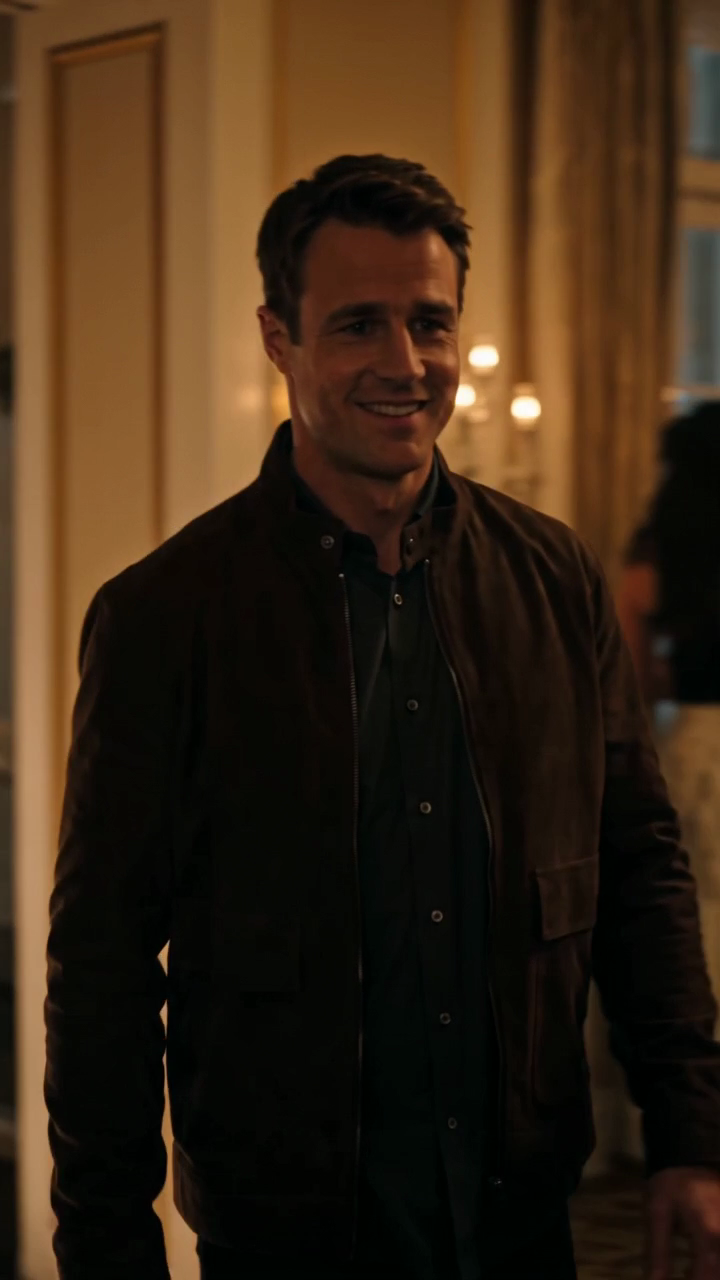
The Burning Bridges AI tool processed a single fictional adult portrait (task ID 5432d7ab4bf2cb5a97489e0e1584b024) to create a glowing bridge leading into a warm party scene. The process consumed 410 Kie credits ($2.05 model cost) and took 283 seconds.
The video is silent, 10 seconds long, 720p resolution, and 9:16 aspect ratio. It does not include copyrighted music or voice cloning.
Below are two frames from the generated video illustrating the visual story:
This example shows the unique, original output possible with AI generation, suitable for users seeking a quick, creative video without manual editing.
Choosing the Right Workflow Based on Output Needs
-
If you want a unique, AI-generated video from portraits with minimal effort and no audio, choose Original Generation. This is ideal for quick, original silent videos like the Burning Bridges AI example.
-
If you require full creative control, audio integration, and longer videos, Manual Editing is the best fit. It demands more skill and time but allows complete customization.
-
If you prefer a faster process with some customization but within a fixed style, Licensed Templates offer a middle ground. This suits users who want branded or themed videos without starting from scratch.
Pricing and Credit Details
Burning Bridges AI uses a credit system:
- One default video uses 50 site credits; a separate first-party provider task used 410 Kie credits internally ($2.05 model cost).
- Credit packs: $9.90 (1 video), $19.90 (3 videos), $29.90 (5 videos).
- Subscriptions: $29.90/month for 8 videos, $149.90/year for 45 videos.
- Unused credits expire at subscription renewal.
- No free credits for ChatGPT first-touch users; non-ChatGPT users earn 50 credits after visiting three consecutive UTC days.
See the full pricing page for details.
Privacy and Permissions
- Only adult portraits with explicit permission can be used.
- The site does not use celebrity likenesses or voice cloning.
- No copyrighted music or video footage is included.
- Users must sign in to create videos.
Refer to the privacy and terms pages for full policies.
FAQ
1. Can I add music or voice to Burning Bridges AI videos?
No. The AI-generated videos are silent. To add audio, manual editing after download is necessary.
2. What file formats are accepted for portraits?
JPG, PNG, and WebP files under 10 MB per photo are accepted.
3. How long does video generation take?
It varies; the first-party sample took 283 seconds (about 4.7 minutes), but times may differ.
4. Are there any free credits to start?
Non-ChatGPT users can earn 50 credits by visiting three consecutive UTC days. ChatGPT users receive no free credits.
5. Can I upload my own video or audio?
No. Currently, only photos are accepted for AI video generation.
6. What if I want a longer or audio-enabled video?
Consider manual editing or licensed templates for more flexible output.
Additional Resources
- Learn how to create your own Burning Bridges AI video at how-to-make-burning-bridges-ai-video.
- Explore creative ideas in burning-bridges-video-ideas.
- Understand privacy and consent in burning-bridges-video-privacy-consent.
Choosing the right Burning Bridges AI video alternative depends on your output goals. Original AI generation offers quick, unique silent videos with minimal effort. Manual editing provides full control and audio options but requires skill and time. Licensed templates balance customization with speed and ease. Consider your project needs, budget, and technical ability to decide the best workflow.
For detailed pricing, visit pricing. For terms and privacy, see terms and privacy. For troubleshooting, check burning-bridges-video-troubleshooting.
Sign in and open the studio on three consecutive UTC days. All 50 credits unlock on day 3. Missing a day resets progress. You can pay to create sooner. Try the workflow